
It Started With UNCHECKED Email — Then I Found the Zimbra Server Had Been Compromised
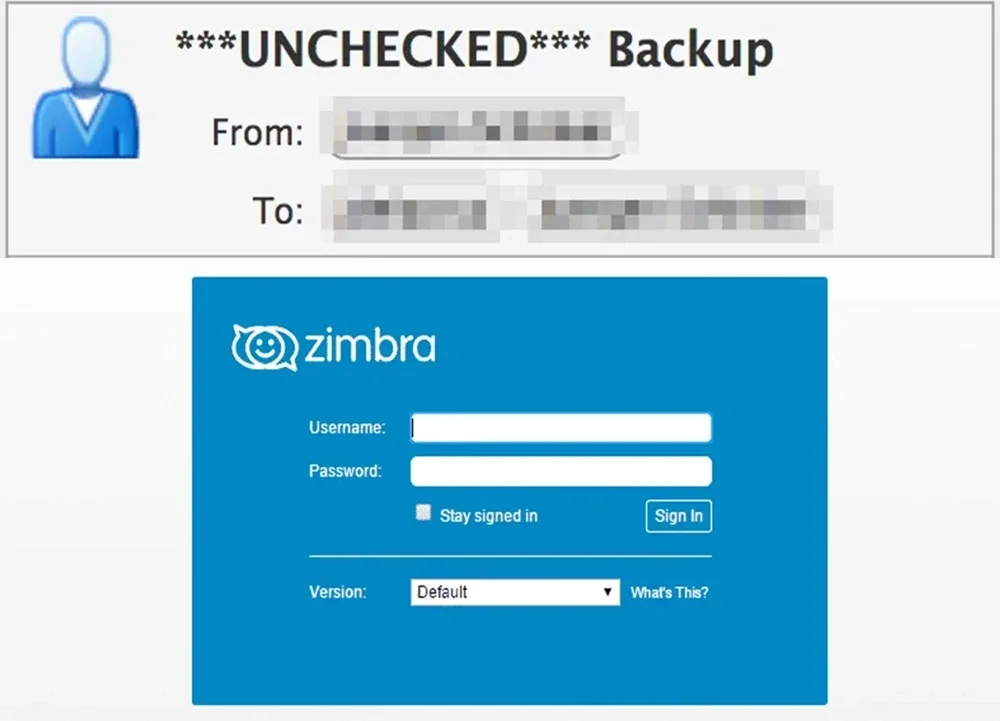
The incident did not begin with ransomware.
There was no dramatic ransom note, no defaced login page, and no mysterious administrator account appearing out of nowhere.
The mail server was still running.
Users could still log in.
Mail was still flowing.
The first visible symptom was considerably less exciting:
Passed UNCHECKED
Some messages passing through Zimbra were no longer being scanned by the antivirus layer.
That looked like a ClamAV problem.
It was not.
By the time I finished following the evidence, I had found a cryptocurrency miner, multiple persistence mechanisms, Perl processes pretending to be /bin/idle, outbound SSH connections, an unauthorized SSH key, and an attack path through Zimbra's SNMP monitoring subsystem.
What started as “why is antivirus not running?” became “can I still trust this server at all?”
This is how the investigation unfolded.
Operational note: Public IP addresses, active management ports, SSH fingerprints, and several environment-specific details have been omitted or generalized because the affected system remains in transition.
I started where any Zimbra administrator probably would:
zmcontrol status
The antivirus component was down.
Amavis logs showed that it could not reach ClamAV. With the scanner unavailable, messages continued through the pipeline but were marked:
Passed UNCHECKED
Nothing particularly exotic there.
ClamAV crashes.
Sockets break.
Services fail.
So I restarted it.
ClamAV came back.
Then it died again.
That was the first point where the problem stopped looking routine.
A dead service is an operational issue.
A service that keeps dying is usually trying to tell you something.
So the question changed from:
“How do I restart ClamAV?”
to:
“What keeps killing ClamAV?”
The kernel logs showed repeated memory pressure.
The machine had reached the point where Linux invoked the OOM Killer.
For anyone fortunate enough not to have dealt with it recently, the OOM Killer is what happens when Linux runs out of viable memory options and starts terminating processes to keep the system alive.
Zimbra's Java processes were affected.
ClamAV was affected.
And then there was this:
softwaretech
A process consuming a suspicious amount of memory.
It was not a component of Zimbra.
It was not part of Ubuntu.
And its process tree was even less reassuring:
bash /softwaretechreview/watchsoftware.sh
/usr/bin/bash /softwaretechreview/watchsoftware.sh
./softwaretech --config config.json
At that point, the antivirus problem was officially over.
This was now an incident response.
The configuration contained:
rx/0
That pointed to RandomX, an algorithm widely associated with Monero mining.
The watchdog scripts contained miner-related logic.
The binary was being actively kept alive.
There was no longer much ambiguity.
The production mail server had been turned into a cryptocurrency miner.
And suddenly the entire chain made sense:
Cryptominer consumes memory
        ↓
Available RAM collapses
        ↓
Linux invokes the OOM Killer
        ↓
ClamAV and Java processes get terminated
        ↓
Antivirus scanning stops
        ↓
Amavis cannot scan messages
        ↓
Mail is marked UNCHECKED
The important point here is that UNCHECKED was not the incident.
It was debris from the incident.
If I had restarted ClamAV, watched it return to Running, and called the ticket closed, the attacker would have remained on the box.
Finding a malicious process naturally creates the urge to kill it.
That part is easy.
The harder question is:
What starts it again?
I began looking for persistence.
A systemd service quickly surfaced:
softwaretech-watchdog.service
The unit launched the malware watchdog.
It also contained:
Restart=always
which is a very convenient configuration if your goal is to ensure an unwanted process refuses to stay dead.
More importantly, the service was operating with elevated privileges.
That changed the scope of the incident.
This was not a stray user-space miner someone had launched once.
The attacker had established persistence at the system level.
I did not immediately delete the unit.
Instead, I copied the relevant binaries, scripts, service files, and configuration into a dedicated incident-response directory and calculated hashes.
Only after preserving the evidence did I stop the service, disable it, remove it from its active location, and mask it.
The sequence matters:
Contain. Preserve. Then clean.
Deleting first feels satisfying.
It is also an excellent way to destroy your own evidence.
Once systemd was dealt with, I checked cron.
There was an @reboot entry designed to bring the watchdog back after startup.
There was also a recurring job launching a deployment script from /tmp.
So the attacker had at least two separate ways to return:
systemd
+
cron
This is exactly why “I found the persistence” is usually premature.
You found a persistence mechanism.
That does not mean you found the only persistence mechanism.
The cron entries were preserved and then removed.
There was also a script in /tmp that initially looked like part of the attacker's deployment tooling.
Its purpose was stranger.
It was killing processes with names such as:
xmrig
kdevtmpfsi
kinsing
minerd
xmr
In other words, the attacker was not just mining cryptocurrency.
They were apparently trying to prevent other miners from competing for the same CPU and RAM.
There is something grimly efficient about malware protecting “its” server from other malware.
The script was stopped and quarantined.
/bin/idle Started Looking Very Un-idleThe process list contained dozens of entries named:
/bin/idle
That is the kind of name designed to encourage a sysadmin's eyes to move on.
Except /bin/idle did not exist.
Looking through /proc told a different story.
The executable was:
/usr/bin/perl
The working directory was:
/tmp
The command line, however, still presented itself as:
/bin/idle
The process title had been manipulated.
That is not sophisticated in the cryptographic sense.
It does not need to be.
It only needs to survive a quick glance at ps.
The network sockets were more useful.
One of those Perl processes had an outbound connection to an external host over SSH.
At that point, the process name was the least interesting thing about it.
I terminated the fake /bin/idle processes.
Another one appeared.
I killed that.
Another appeared.
That changed the investigation again.
When a process comes back after being killed, there is almost always a parent, watchdog, scheduler, or service somewhere that still believes it should exist.
Following the process tree eventually led toward:
swatchdog
and a generated Perl script under Zimbra's temporary data directory.
I wanted evidence, not intuition.
So I paused the relevant swatchdog path temporarily and then killed the fake /bin/idle process again.
This time it stayed dead.
That narrowed the respawn chain considerably.
And it pointed directly at Zimbra's monitoring subsystem.
The next breakthrough came from reading the zmswatch logs.
A specially crafted SMTP transaction had caused attacker-controlled data to appear in the Postfix logs in a form that resembled an internal service status notification.
One of the important strings was:
Service status change
Zimbra's swatchdog watched for patterns like this.
The log line matched.
The monitoring code treated it as a service event.
The value then moved into the SNMP notification path.
And further down the chain, attacker-controlled input reached a shell command without sufficient sanitization.
Conceptually:
Internet
   ↓
Crafted SMTP traffic
   ↓
Postfix logs attacker-controlled input
   ↓
swatchdog parses the log
   ↓
Input is mistaken for a service event
   ↓
SNMP notification processing
   ↓
Input reaches a shell command
   ↓
Remote code execution
I am deliberately not publishing the exploit payload here.
The point of this article is to document the investigation, not to turn it into an exploitation guide.
The behavior matched CVE-2026-73570, a command injection vulnerability in Zimbra's SNMP monitoring component when SNMP notifications are enabled.
Zimbra lists 10.1.20 as the fix release.
The affected server was running an older build.
This was one of the more uncomfortable parts of the incident.
The initial attack did not require:
the root password,
the Zimbra admin password,
a mailbox account,
or an SSH login.
The server simply had to accept SMTP traffic from the internet.
Which, being a mail server, it naturally did.
This is a useful reminder that hardening SSH is necessary, but it does not magically secure everything behind SSH.
You can have:
Fail2ban
strong passwords
non-standard SSH ports
good firewall rules
and still be compromised through the application itself.
Once the entry path was understood, the immediate containment decision was obvious.
SNMP monitoring had to go.
Initially, the service was merely:
Stopped
But it was still present in Zimbra's enabled service configuration.
That meant it could potentially return after a restart or reboot.
So I removed SNMP from zimbraServiceEnabled.
After that, it no longer appeared as an active Zimbra service.
There is a practical distinction worth remembering:
Stoppedmeans “not running now.”
Disabledmeans “do not casually bring this back.”
During containment, that distinction matters.
The server had roughly:
RAM  : 8 GB
Swap : none
Eight gigabytes is already fairly tight for a Zimbra stack once you account for mailboxd, ClamAV, MySQL, Amavis, LDAP, and the rest.
Add an unauthorized miner and things deteriorate quickly.
After containment, I added swap as a safety buffer.
Eventually, some of that swap remained in use.
That was not automatically a problem.
I checked:
vmstat 1
and saw:
si = 0
so = 0
during normal operation.
So there were pages in swap, but the host was not actively thrashing between disk and RAM.
CPU load was low.
I/O wait was low.
No new OOM events appeared.
That is a much more useful picture than staring at a high used number in free -h.
On Linux, memory health is better judged by a combination of:
available memory
swap activity
I/O wait
CPU load
OOM events
Swap is not RAM.
But a server with no emergency memory buffer has fewer options when things go wrong.
This one had already demonstrated that rather dramatically.
With the miner and the obvious persistence mechanisms under control, I moved to remote access.
The SSH configuration was hardened.
The management port was changed.
Fail2ban was updated.
I kept multiple administrative sessions open while doing this.
That is not paranoia.
That is simply cheaper than locking yourself out of a remote production server.
The new SSH configuration was tested first.
Only after successful connections through the new path did I close the old sessions.
The root password was then rotated from a machine I considered trustworthy.
There was also concern that one of the user-side computers might have been compromised, so the new credentials were not entered on machines that had not yet earned trust.
authorized_keys Had Another Surprise WaitingThe next significant finding came from:
/opt/zimbra/.ssh/authorized_keys
One SSH key belonged to Zimbra itself.
That was expected.
Another did not.
I calculated its fingerprint.
Then searched the current and rotated authentication logs.
And there it was:
Accepted publickey for zimbra
from multiple external IP addresses.
Not:
Failed password
Not:
Invalid user
Not a scanner.
Not a brute-force attempt.
The key had been accepted.
The attacker had successfully created persistent SSH access to the zimbra account.
That was a major escalation in confidence.
The earlier application exploit had provided command execution.
The SSH key showed that the attacker had gone on to create a much more conventional way back in.
One unfamiliar Accepted publickey can be worth more than ten thousand failed login attempts.
Before deleting it, I preserved the unauthorized key and its surrounding evidence.
Then I removed it from authorized_keys.
The external IP addresses confirmed to have used that key were added to containment firewall rules.
I checked for live sessions.
None remained.
At that point, the only key left was Zimbra's legitimate internal SSH identity.
But there was still a trust problem.
The internal Zimbra key itself was not malicious.
But its private key lived under the zimbra account.
And the zimbra account had already been accessed by an attacker.
Could the attacker have copied the private key?
Possibly.
Could I prove they had not?
No.
That means the correct security assumption was:
Treat the key as exposed.
The environment was a single-node Zimbra deployment, which made the rotation relatively straightforward.
Zimbra's remote-management SSH configuration was updated to match the new management port.
Then the internal identity was regenerated with:
zmsshkeygen
zmupdateauthkeys
Afterward, the new fingerprint matched across:
zimbra_identity.pub
authorized_keys
LDAP zimbraSshPublicKey
The unauthorized key did not reappear.
That was an important checkpoint.
Throughout the incident, I maintained a dedicated evidence directory.
It included:
malware binaries
systemd units
cron entries
watchdog scripts
temporary payloads
SSH artifacts
relevant logs
firewall rules
SHA256 hashes
Whenever possible, suspicious files were quarantined instead of immediately deleted.
That distinction paid off repeatedly.
A file that looks useless at 10:00 may explain another artifact you find at 14:00.
Incident response benefits from memory.
rm -rf does not.
After containment, the machine looked dramatically healthier.
The miner was gone.
The watchdog was gone.
The cron persistence was gone.
The unauthorized SSH key was gone.
Credentials had been rotated.
Zimbra's internal SSH identity had been replaced.
SNMP was disabled.
ClamAV was running.
No new OOM events appeared.
Mail kept flowing.
A monitoring dashboard might have described the server as healthy.
I would not.
I would describe it as:
operational and contained
That is a much more careful statement.
This is where incident response becomes less satisfying than ordinary troubleshooting.
In troubleshooting, you fix the broken thing.
In security, you eventually reach a different question:
What do I still trust?
The attacker had demonstrated the ability to:
execute commands through a vulnerable application path,
operate as the Zimbra user,
run a cryptocurrency miner,
create systemd persistence,
create cron persistence,
establish outbound connections,
add an SSH public key,
and create persistence with elevated privileges.
Once that happens, deleting known artifacts is not the same thing as restoring trust.
I can inspect a hundred common persistence locations.
An attacker only needs to have used the 101st.
That is the uncomfortable asymmetry.
Zimbra 10.1.20 includes the fix for the SNMP monitoring command injection issue associated with CVE-2026-73570.
That upgrade matters.
A vulnerable server should not remain vulnerable.
But these two statements are not equivalent:
The vulnerability is fixed.
and:
The operating system is trustworthy again.
A software update can correct vulnerable code.
It cannot tell me whether an attacker altered something else while they had elevated access.
That is why I do not consider an in-place upgrade on the compromised host to be the ideal long-term recovery plan.
It may be part of stabilization.
It is not the same thing as rebuilding trust.
Once the immediate incident was under control, the next question was not “what command should I run?”
It was:
What should replace this server?
There are two realistic paths.
Build a clean VM or physical host.
Install a patched Zimbra release.
Migrate mailboxes and only the configuration actually required.
This minimizes user-facing change and preserves familiar administrative workflows.
Build a new Mailcow deployment on a clean host.
Migrate mailboxes in stages.
This introduces more operational change, but also provides an opportunity to redesign the mail platform instead of carrying the old environment forward.
The interesting question is not really:
“Zimbra or Mailcow?”
It is:
“Do I build the next production system on a host that has already been compromised, or on a clean one?”
For me, that part is easy.
Clean host.
Every time.
The entire investigation started with:
UNCHECKED
If I had treated that as nothing more than an antivirus restart issue, I might never have found the attacker.
Restarting a service answers:
“Can I make it work again?”
Investigation asks:
“Why did it stop working?”
Those are different jobs.
Once you find a malicious binary, look for:
systemd
cron
SSH keys
startup mechanisms
temporary directories
parent processes
network connections
The process is what you can see.
Persistence is what matters tomorrow.
/bin/idle was not /bin/idle.
Trust /proc, executable paths, file descriptors, and sockets more than whatever appears in the command column.
Internet-facing servers generate enormous amounts of failed SSH noise.
What matters much more is:
Accepted publickey
using a fingerprint nobody recognizes.
A dangerous service that is merely stopped can return.
Containment should account for startup behavior, not just current process state.
The useful question is not:
“Is swap being used?”
It is:
“Is the server thrashing?”
If si and so remain low or zero, some swap usage may simply mean inactive pages were moved out of precious RAM.
Before deleting suspicious artifacts:
copy
hash
document
quarantine
Future-you may need them.
After elevated compromise, the goal is not just to remove known malware.
The goal is to restore confidence in the platform.
Sometimes that means rebuilding.
At the end of the initial incident-response phase:
Cryptominer            : inactive
Malware watchdog       : disabled / masked
Malicious cron         : removed
Unauthorized SSH key   : revoked
Internal Zimbra key    : rotated
Root credentials       : rotated
SSH configuration      : hardened
Fail2ban               : active
SNMP monitoring        : disabled
ClamAV                 : running
Swap / memory buffer   : available
New OOM events         : none observed
Mail services          : running
Evidence               : preserved
The host remained temporarily in service to maintain business continuity while a clean replacement strategy was evaluated.
UNCHECKED to “Do I Still Trust This Machine?”The whole incident can be reduced to a fairly brutal sequence:
Email marked UNCHECKED
        ↓
ClamAV is down
        ↓
OOM events
        ↓
Cryptominer
        ↓
Systemd persistence
        ↓
Cron persistence
        ↓
Fake /bin/idle processes
        ↓
Outbound connection
        ↓
Respawn through monitoring path
        ↓
SNMP command injection
        ↓
Unauthorized SSH access
        ↓
Credential and key rotation
        ↓
Containment
        ↓
Trust problem
        ↓
Rebuild / migration planning
I started the evening trying to fix antivirus scanning.
I ended it deciding whether the server itself was still worthy of trust.
That escalation is probably the most useful part of the story.
Running Is Not a Security StatusThere is a particular satisfaction in watching a broken server recover.
After hours of troubleshooting, you run:
Running
Running
Running
Mail moves again.
CPU usage settles.
Logs stop screaming.
Users stop calling.
The natural reaction is:
“Fixed.”
But security incidents do not end as cleanly as service outages.
A server can be fully operational and still be a poor candidate for continued trust.
I can remove the malware I found.
I can revoke known keys.
I can block known IP addresses.
I can rotate passwords.
I can disable the vulnerable component.
I can patch the software.
And still, one question remains:
Did I find everything?
After elevated compromise, I do not think that question deserves a confident answer unless I have evidence to support one.
So I no longer think of containment as the end of this incident.
Containment is what keeps the lights on.
It buys time.
It preserves continuity.
It gives you room to make the next decision properly instead of under pressure.
Recovery is something else.
Recovery is restoring trust.
And sometimes the least glamorous solution is also the most defensible one:
build a clean machine, migrate what you actually need, rotate what might have been exposed, and retire the host that can no longer prove its innocence.
I began this incident because a few emails said:
UNCHECKED
I came away with a much broader reminder:
A server being back online tells you that it works. It does not tell you that it is safe.
Administrators running Zimbra should review the vendor's security advisories and release documentation for the SNMP monitoring vulnerability discussed here.
Zimbra identifies the issue as CVE-2026-73570 and lists 10.1.20 as the fix release.
Before making changes to a production mail server, always check the current vendor advisory, release notes, supported operating systems, and upgrade path. Security guidance and package availability can change, and production mail systems are particularly unforgiving places to improvise.
What looked like a routine ClamAV failure on a Zimbra mail server turned into a much larger security incident involving cryptocurrency mining, systemd and cron persistence, disguised processes, unauthorized SSH access, and a command injection flaw in Zimbra's SNMP monitoring path.