
The Email That Wasn’t Missing: A Real-World PMG and Zimbra Troubleshooting Story
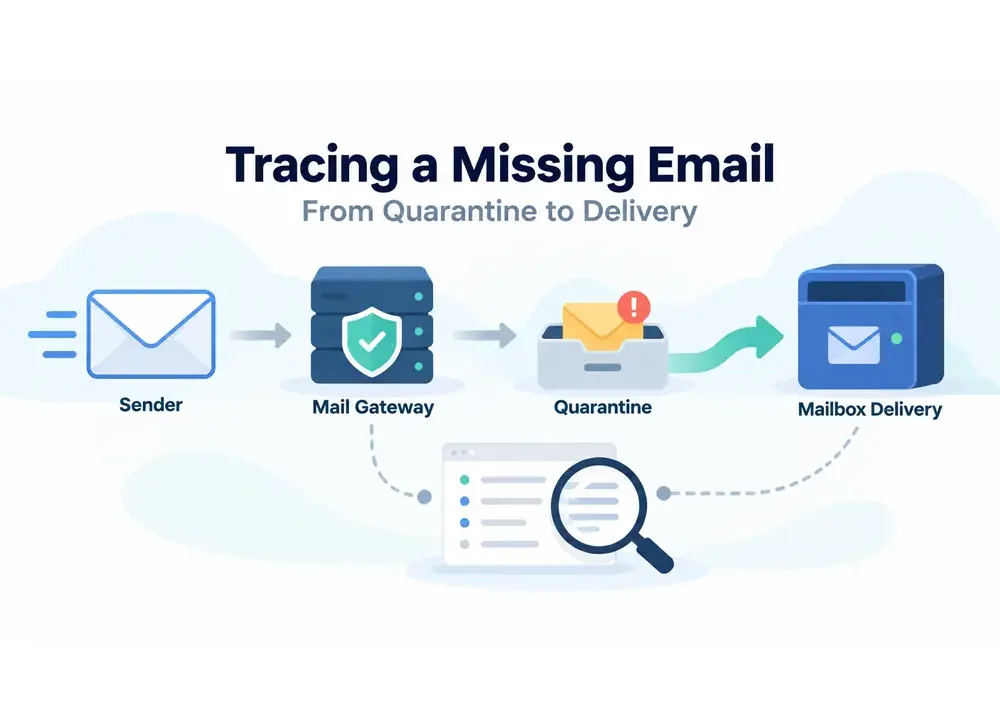
It started with a complaint that sounded simple.
A staff member at one of my client’s offices was told by an external company that an important email had not arrived. The sender was confident they had sent two messages. According to them, one had been received, while the other seemed to have disappeared.
The issue was escalated to the client’s internal IT team, and eventually it reached me.
At first, there was nothing unusual about the report. Missing-email cases are common in corporate environments, especially when several layers sit between the internet and the user’s mailbox.
In this setup, incoming mail first passes through Proxmox Mail Gateway, or PMG, before being forwarded to a Zimbra mail server.
That meant there were several places where a message could theoretically stop:
the sender’s SMTP server, the gateway, the spam filter, the quarantine system, the Zimbra MTA, Amavis, or the final mailbox delivery service.
The challenge was to find out where the email had actually gone.
The sender address was:
The first message I checked had reached PMG successfully.
The SMTP session looked healthy. TLS was negotiated normally, the sender passed SPF, and PMG accepted the message into its filtering pipeline.
Then SpamAssassin assigned the message a score of 10.
One rule alone contributed almost the entire score:
KAM_MARKSPAM(10)
That pushed the message above the configured spam threshold.
PMG did exactly what it had been configured to do.
It sent the message to spam quarantine.
The log clearly showed:
moved mail ... to spam quarantine
At that point, the case appeared straightforward.
The mail had not been lost.
It had been quarantined.
But then we opened the quarantine interface.
The message was not there.
This was where the case became more interesting.
PMG’s Tracking Center clearly showed that the message had entered spam quarantine, yet searching the quarantine interface returned nothing.
The natural suspicion was a database or storage problem.
So I checked the quarantine filesystem directly.
The message file still existed under PMG’s spool directory.
Its size looked correct, and the file was readable.
That told me something important:
the actual email content had not disappeared.
Next, I checked the PMG quarantine database.
The metadata was there too.
But one field stood out:
status = D
That was the clue.
The message was no longer considered an active quarantine item.
It had already been processed.
The PMG daemon log confirmed exactly what happened.
At 10:31:12, PMG recorded that the quarantined message had been delivered.
In fact, three quarantine messages for the same recipient were released at exactly the same second.
That made a background cleanup or database maintenance problem unlikely.
This looked like a user action.
So the next question became:
Who released them?
The PMG proxy logs provided the answer.
At around 10:30, an authenticated PMG user opened the quarantine section for the affected recipient.
At 10:31:00, the exact message was opened.
Twelve seconds later, the client made a POST request to the quarantine API.
At that same timestamp, PMG logged the quarantine delivery.
The authenticated session was:
kawai-id@pmg
and the source IP address was:
114.79.2.106
That was enough to reconstruct the event.
The missing message had not vanished from PMG.
It had been quarantined and then released through the PMG interface.
So the quarantine mystery was solved.
But the original complaint still contained another important detail.
The sender insisted they had sent two emails.
To verify that claim, I stopped looking only at quarantine logs and searched the full SMTP history for the sender.
At first, the logs seemed to show three messages from:
There were entries at roughly:
07:40
07:40
10:25
But counting Postfix queue IDs can be misleading.
The two entries around 07:40 were not two separate emails.
They were the same message moving through two stages of PMG.
The first queue ID represented the message as it arrived from the external sender.
After PMG processed the message, it was reinjected into Postfix and given a second queue ID before being forwarded to Zimbra.
The proof was the Message-ID.
Both queue entries had exactly the same value:
So that was one message, not two.
The later email had a different Message-ID:
That confirmed the sender’s claim.
Two unique emails had indeed been sent.
The first message arrived at around 07:40.
PMG accepted it and passed it through the default mail rule.
It was then forwarded to the Zimbra server.
Zimbra received the message under queue ID:
04DB8B34188
Amavis scanned it and marked it:
Passed CLEAN
After scanning, Zimbra created a new queue ID:
4C56AB379BB
Then came the line that mattered most:
status=sent (250 2.1.5 Delivery OK)
That was the final LMTP delivery response.
It meant the Zimbra mailbox service had accepted the message successfully.
From the mail server’s perspective, that message had been delivered.
The second email arrived later, at around 10:25.
This one was classified as spam by PMG and moved into quarantine.
A few minutes later, the message was manually released.
PMG then sent it to Zimbra.
Zimbra received it under queue ID:
704C8B39048
Amavis scanned it and again reported:
Passed CLEAN
The message was then queued as:
E4C04B39055
And once again, the final mailbox delivery result was:
status=sent (250 2.1.5 Delivery OK)
So the second email had also reached the Zimbra mailbox service successfully.
By the end of the investigation, the original complaint had changed completely.
The sender was correct that two emails had been sent.
But the idea that one of them had disappeared was not supported by the server logs.
Both messages reached the client’s mail infrastructure.
Both eventually reached Zimbra.
Both received a successful LMTP delivery response.
The difference was simply the route they took.
The first message followed the normal path:
External sender
→ Proxmox Mail Gateway
→ Accepted
→ Zimbra
→ Amavis
→ Mailbox Delivery OK
The second message followed this path:
External sender
→ Proxmox Mail Gateway
→ Spam Quarantine
→ Manual Release
→ Zimbra
→ Amavis
→ Mailbox Delivery OK
From the infrastructure point of view, neither email was lost.
Both were delivered.
That became a different class of troubleshooting problem.
Once Zimbra returns:
250 2.1.5 Delivery OK
the investigation moves beyond SMTP transport.
At that point, possible causes include:
the message being moved to Junk
a Zimbra mail filter moving it to another folder
an Outlook or IMAP rule relocating it
a mobile mail client applying its own behavior
the message being deleted after delivery
conversation threading making two messages appear as one thread
This is an important distinction.
A user saying “I did not receive the email” does not always mean the mail server failed to deliver it.
Sometimes the server delivered the message correctly, but the user could not see it where they expected.
One of the most useful lessons from this case was the importance of Message-ID.
A single email can receive several queue IDs as it moves through a mail system.
In this incident, one message had:
an inbound PMG queue ID
a reinjected PMG queue ID
a Zimbra queue ID
another Zimbra queue ID after Amavis
If I had simply counted queue IDs, I could easily have concluded that more messages had been sent than actually existed.
Message-ID was the reliable identifier that connected all those stages.
For email troubleshooting, that distinction matters.
Queue IDs describe processing stages.
Message-ID identifies the message itself.
Mail administrators often see a line like:
status=sent
and stop there.
But “sent” can mean different things depending on which server produced the log.
When PMG says a message was sent to Zimbra, it only proves that the next SMTP server accepted it.
That is not necessarily the same as mailbox delivery.
In this case, the strongest evidence came from Zimbra’s final LMTP result:
250 2.1.5 Delivery OK
That was the point where the mailbox service itself confirmed successful delivery.
For investigations involving Zimbra, this is one of the most important lines to look for.
This case reinforced a rule I have learned repeatedly from working with mail systems:
Never troubleshoot email from only one layer.
You need to follow the entire lifecycle.
Start with the sender.
Find the Message-ID.
Trace the inbound SMTP connection.
Check the gateway.
Check spam scoring.
Check quarantine.
Check whether the message was released.
Trace the next queue ID.
Check the downstream mail server.
Check the content scanner.
Then follow the message all the way to final mailbox delivery.
Only then can you say with confidence whether an email was truly lost.
In this case, it was not.
The message that everyone thought had disappeared had actually taken a detour through quarantine before reaching the mailbox.
And that is often how email troubleshooting works.
The message is rarely gone.
You just have to follow the trail.
The biggest lesson from this incident was not about quarantine or spam scoring—it was about how to troubleshoot email properly.
When someone says, “The email never arrived,” never stop at a single log line or a single server. Follow the message end to end: identify the Message-ID, trace every queue transition, check the gateway decision, verify whether quarantine changed the message flow, confirm the downstream server accepted it, and finally look for mailbox-level delivery such as Zimbra’s `250 2.1.5 Delivery OK`.
Queue IDs may change several times, interfaces may no longer show an item after it has been processed, and users may only see the final symptom, but the full message path will usually reveal what actually happened. In this case, that method turned a vague “missing email” complaint into a clear timeline showing that both messages were delivered successfully—one directly, and one after a short detour through quarantine.